
Combining three tools to support delivering a virtual programme
Are you delivering more programmes online? Here is one example of how you can combine three tools and utilise flipped learning to provide online learning.
What is flipped learning?
Flipped learning provides the opportunity for learners to learn key terms and concepts outside of class at their own pace and then come into ‘class’ to ask questions, clarify any areas of misunderstanding, engage at a higher level and apply their knowledge to address problems.
Note that, whilst Google Classroom and Google Meet have been used in this example, a similar approach could be used using your VLE and Zoom (or equivalent). The approach could also be used for different subject areas.
We will consider below the combination of these three tools:
- Google Classroom
- FlipGrid
- Google Meet
Google Classroom has become very popular with providers to host resources, set and mark assignments, and communicate with students. It is linked with the other Google tools such as Google Docs, Google Drive, Gmail and Google Calendar, which makes it powerful.
FlipGrid is a Microsoft online tool that allows you to record short video clips, up to 10 minutes which you then email a link to. It can be used without signing up for an account but there are benefits of signing up for the free version, as you can then download videos, upload videos and delete them after a set period.
Note: FlipGrid changed its format in August 2020 when taken over by Microsoft, but still has the same tools but different names. It can be integrated with Google Classrooms and Microsoft Teams.
Google Meet is Google’s virtual meeting area. It has screen scaring and Breakout rooms.
However, unless you have the G Suite Enterprise for Education, you will not be able to record your ‘meeting’. If this is the case, then Zoom can be used as an alternative.
Combining Google Classroom, Google Meet and FlipGrid
Self-study through Google Classroom
Self-study is an essential part of flipped learning, it is important that learners’ complete activities to fully participate in the Google Meet session. Each week learners access their Google Classroom for study instructions, resources and activities.
Here’s an example of what learners might be asked to do:
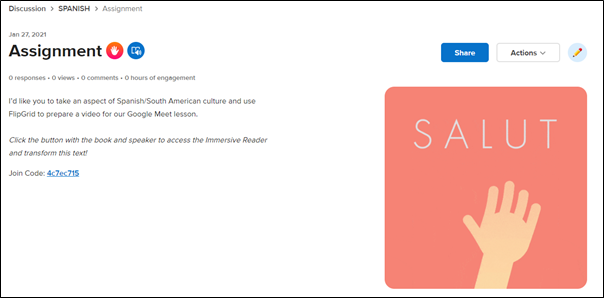
“I’d like you to take an aspect of Spanish/South American culture and use FlipGrid to prepare a video for our Google Meet lesson.”
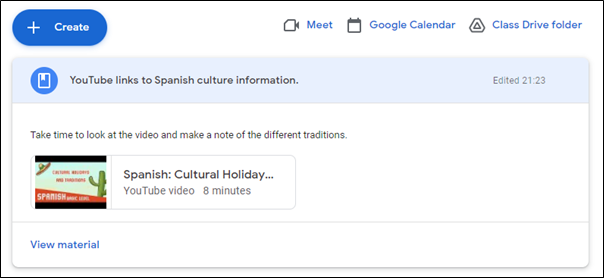
The students are provided with video weblinks and asked to find specific information about Spanish Culture and to make them think about differences and similarities between our cultures. This provides a way of encouraging learners to use Spanish sites and to practise their reading skills. If the YiNote Google extension is available, then your learners can also make notes about the video simultaneously.
FlipGrid – Activity
As an assignment, students have been asked to produce a video presentation using FlipGrid, and they will share with their teacher and peers.
In FlipGrid you will need to set up a Topic containing information about the assignment.
The code for the topic you can then Share as a QR code, embed, in Teams or Google Classroom.
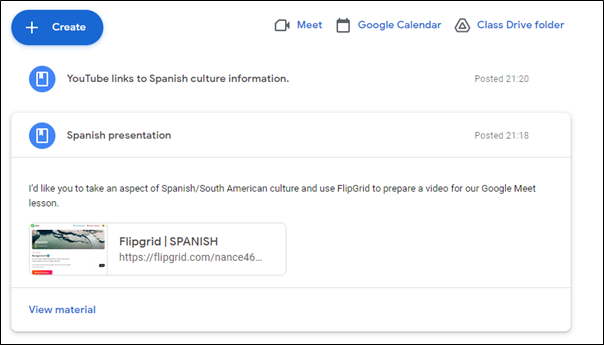
Once shared with the Google Classroom, it will appear in the Classwork area.
Students can then access from the Classroom, and record their own short response video to the assignment.
Google Meet
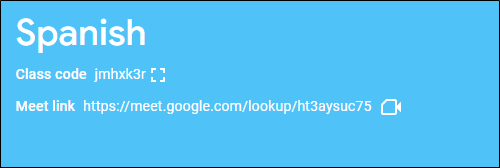
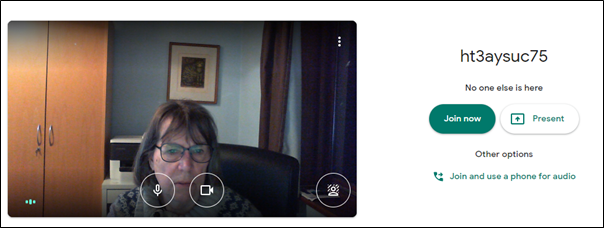
The teacher will set up a meeting with students in Google Meet, which they can access from the Google Classroom using the Meet Link found on the front of the Classroom box.
In the virtual meeting area, learners will be able to discuss the topic. Contributing to the learning within sessions plays an integral part in learning, and their research helps broaden their peers’ knowledge.
Written for HOLEX by Ideas4Learning Limited