
Digital ACE Underpinning Technology Guidance Materials
Our Digital ACE Underpinning Technologies guidance materials aim to supply providers with enough information to get started on developing a digital offer and to support those who have already started in creating a more sustainable technological base.
The guidance also provides links to more in-depth technical critiques of systems and signposts to good systems.

Underpinning Technology Guidance document
Annexes
Click on the below links to download our customisable annexes. These are available for you to ‘adopt and adapt’.
Annex 1 – Learning Technology Evaluation TEMPLATE
Annex 2 – How to Guide for learners (GSuite for Education)
Annex 3 – How to download a Word document (Google classroom)
Annex 4 – Example resources from GSuite for Education
Annex 5 – Kingston – Equipment loan Use agreement – TEMPLATE
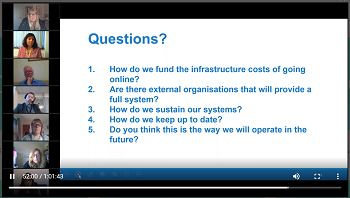
Underpinning Techology – Webinar
Underpinning Techology – YouTube tutorials
Getting started with Microsoft OneNote
Golda Mendoza talks us through using Microsoft OneNote; a digital notebook which lets you record audio/video, embed videos, insert files, draw with digital ink and more. The app is free to all users, even without owning a Microsoft licence.
Connectivity/Compatibility
Eduardo Saldana talks about connectivity/compatibility of technology in terms of teaching adult learners remotely. The session considers the terminology, what it means for you as a service and for your learners and how to assist your staff in this area.
Communicating with Students & Staff
Jo Loss talks about the use of technology to communicate with students and staff considering a) why appropriate communication is important, b) challenges keeping up with communications and c) best practice in this area.