
What is a mindmap?
A mindmap is a visual representation of ideas and information.
They are a useful way to quickly store thoughts, ideas, and challenges so that each can be returned to, reflected on, and expanded.
Mindmaps can use images, text, audio, and links to other resources. They normally start a central word or image and then branch out into linked words or ideas. They can be used individually but also as a collaborative activity with a group of learners contributing in real-time to a mindmap.
Dyslexic learners and teachers find mind mapping helpful in organising their work as it provides a visual representation of their ideas and in addition enables them to resort and re-organise them.
Mindmaps can help users to:
- see the whole picture
- develop an understanding of ideas and concepts
- plan work
- taking notes
- organise their thinking
- problem solve
- remember things
- collaborate on tasks – sharing thoughts and ideas, plan together
- present their ideas.
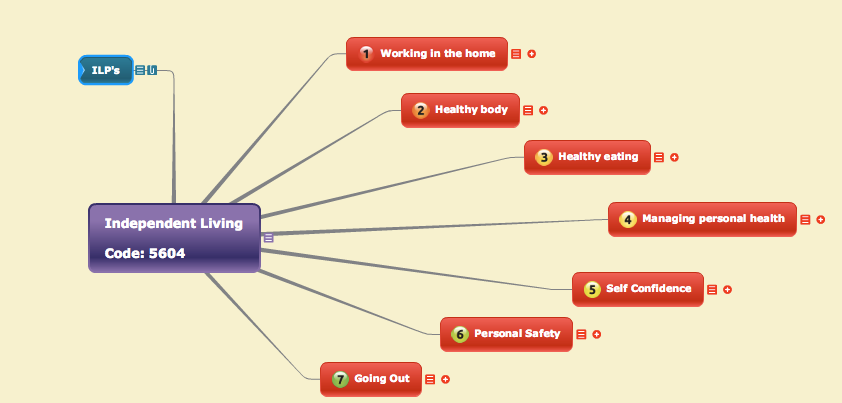
This example is a mindmap that a teacher-created to plan her work.
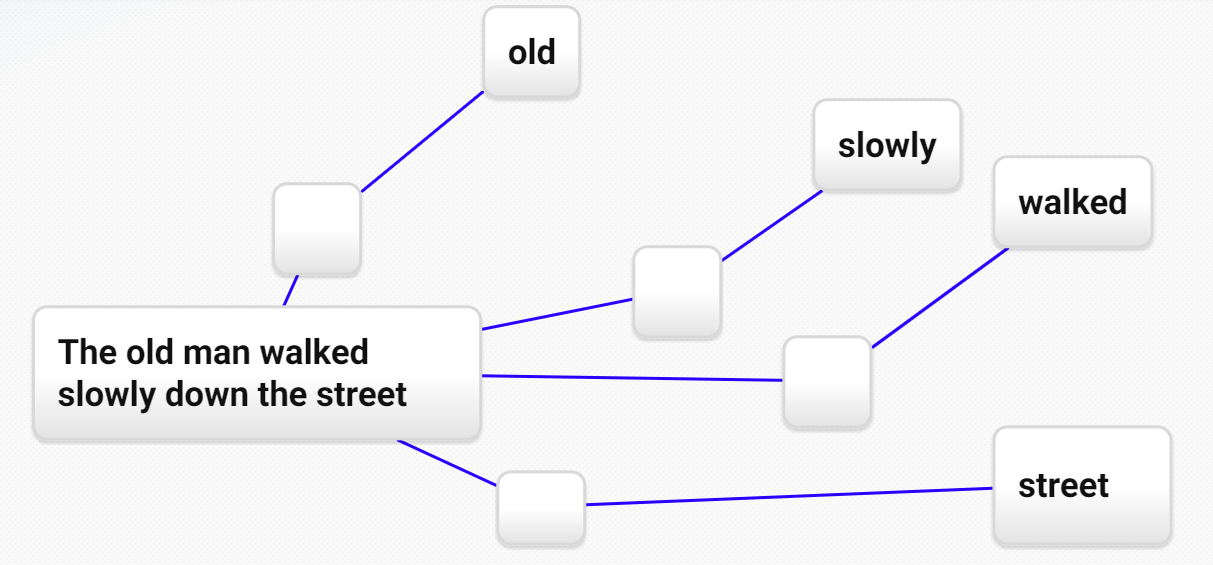
Students can be scaffolded using mind-mapping. Provide gaps for them to complete, to add words, and to re-arrange.
Mindmap tools
There are many mindmap tools freely available online; all have a paid as well as a free version.
- Coggle , bubble.us, Xmind, and FreeMind are just a few. Xmind is open-source mind-mapping software and needs to be downloaded to your PC, while the others identified here are web-based.
- Where organisations have the Moodle VLE they may wish to explore the plugins that are available, there are several including Advanced Mindmap, Mindmap Format, and Mindmap module plugins.
- A number of organisations also like to use Padlet for mind-mapping, it now has a canvas layout that allows posts to be connected or linked in any way. An example is shown below.
Padlet example of mind-mapping:

Written for HOLEX by Ideas4Learning Ltd.