
In this blog, find out more about Xerte online toolkit, an open-source web-based content creation tool that enables users to use a wide range of page templates to create multi-media rich interactive learning materials.
What is Xerte?
Xerte online toolkit is an open-source web-based content creation tool that enables users to use a wide range of page templates to create multi-media rich and interactive learning materials. Xerte was created by Nottingham University, working closely with Jisc TechDic, and was designed to have a high level of built-in accessibility to support accessible learning. In 2013/14 Xerte became an Apereo project. The toolkit is designed to be accessible to teachers who have limited experience in content authoring as well as developers who are able to use CSS to customise functionality.
While Xerte is open source software you will need to have either Xerte installed on your own server or use a commercial organisation that can do this for you such as LearningApps or Xerte Academy at an educational provider rate.
The interactive learning materials are produced in HTML5 making them very easy to play on different learning devices (mobiles, tablets, laptops, and computers). They can be easily embedded within VLE course pages and are SCORM compliant.
Templates
Xerte toolkit range of templates includes media pages where you can add audio and video; interactivity with quizzes and drag and drop options.
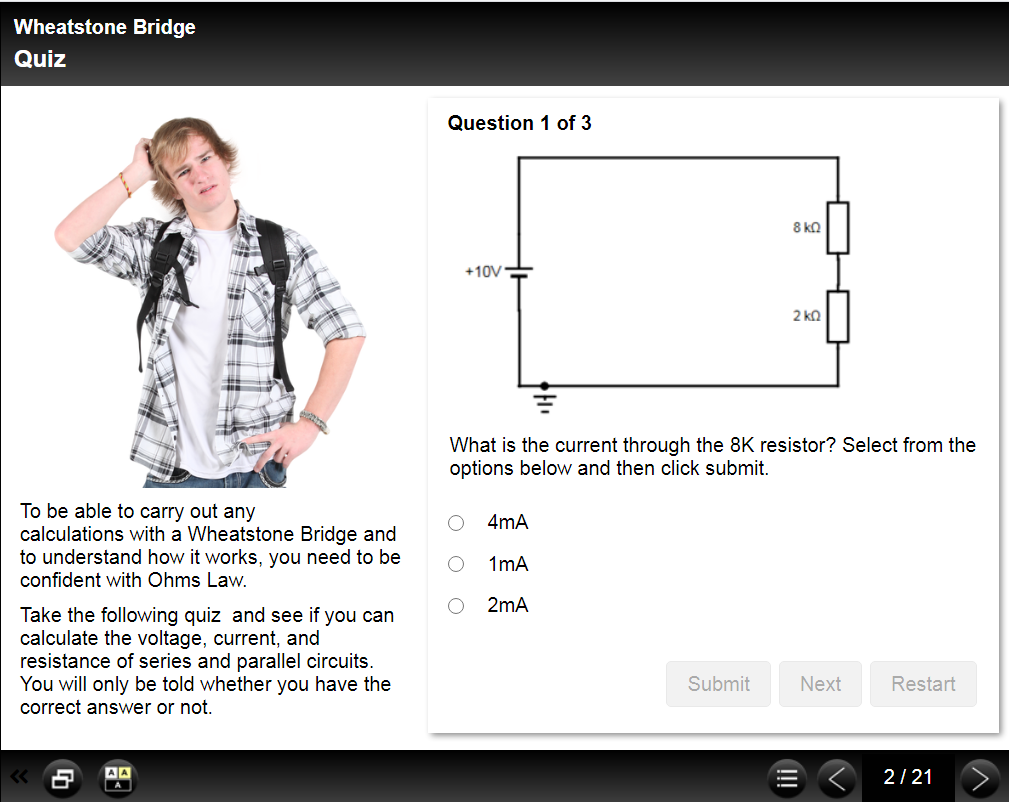
The image below shows an example of a muti-answer quiz.
To see the range of different templates that are available take a look at the Xerte Online Toolkits: Page Types which is created in Xerte.
Getting Started
To get started, take a look at the Getting Started – Xerte Basics webpage or take a look at the video below. There is also a recording of a CPD webinar on Xerte called Getting the most from Xerte Online Toolkits was part of the Learning Futures project from 2016.
Xerte Support
Xerte provides lots of support, the Xerte website is comprehensive, and in addition, they have a forum and three mailing lists – a general one for queries, one for teachers, and the third for the developer.